











MCAS (MyChildatSchool) App
MCAS, download the App:
Open the Apple App Store (for iPhone) or Google Play Store (for Android) and search for MyChildAtSchool or MCAS. (this is a Bromcom application) Please email the MCAS email, see link below. We will then send you a password setup/create email, please ensure you include your child’s full name.

Logging In
From log-in screen, enter the Email Address and Password. Use the existing Email Address registered to the MCAS account and the Password currently in use to Login. Click on the Login button. If you have forgotten your password or have not set up the APP, please email MCAS@harrisinvictus.org.uk remember to include your child's full name in any emails.
If parents have more than one Profile using the same Email Address, a popup will appear, select the Profile they wish to use to continue to the Dashboard. Students associated with each Profile are displayed on each row. Click on the Profile. The Dashboard will open for that Profile..
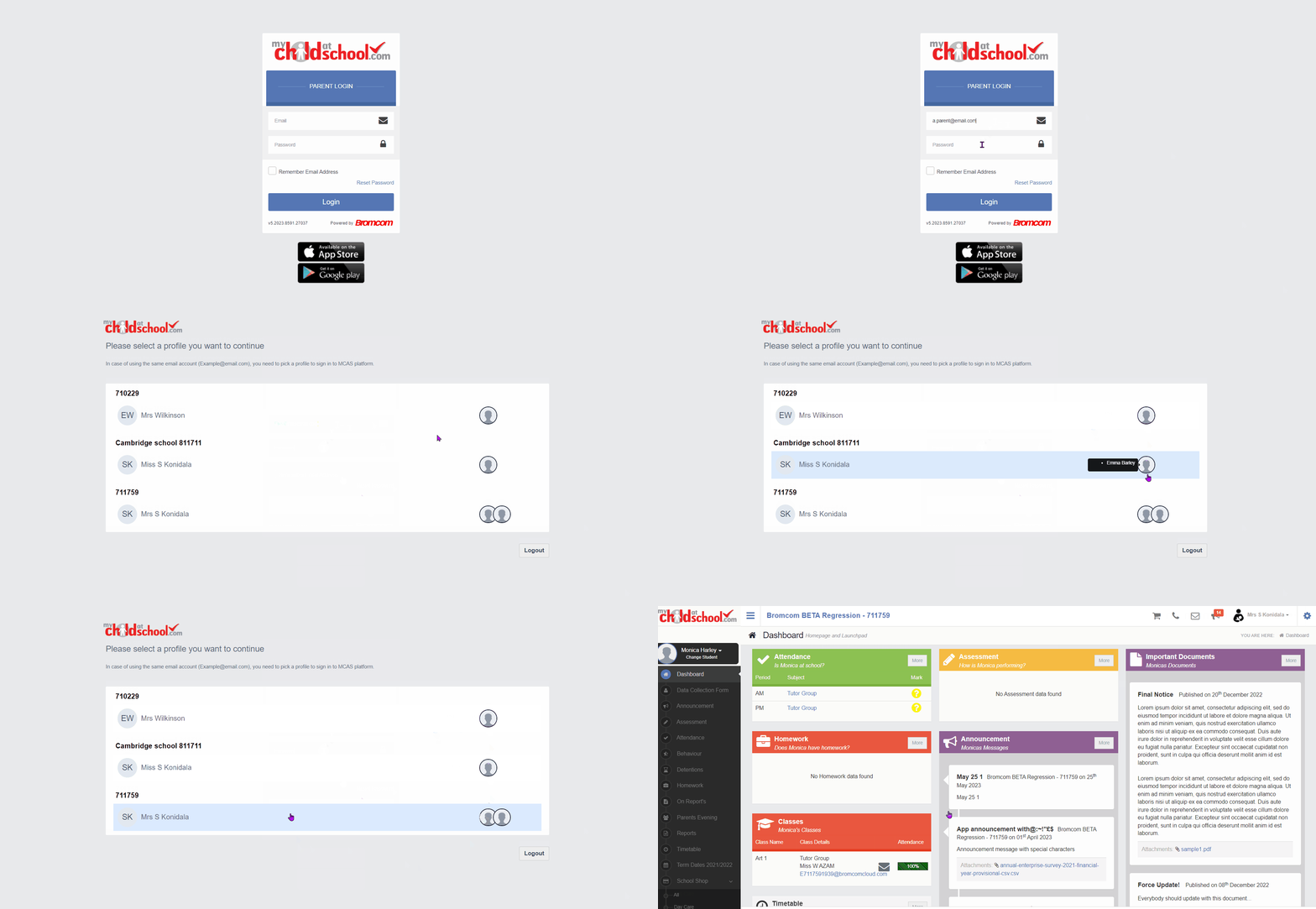 Parent Login (Web)

